
Best iPad Keyboards (2026): Top Picks for Notes, School, and Laptop-Like Typing
As an Amazon Associate, I earn from qualifying purchases. Some links may earn us a commission at no extra cost to you.
A good iPad keyboard should make typing, note-taking, and everyday multitasking feel more like using a laptop. These six picks cover iPad Pro, Air, base iPad, larger 13-inch models, travel, and rugged protection.
Top Picks
1. Eisuiyi Keyboard Case for iPad Pro 11 — Best Budget Laptop-Like Pick
The Eisuiyi combines a detachable Bluetooth keyboard, built-in Multi-Touch trackpad, magnetic protective cover, and Pencil holder for iPad Pro 11-inch M4/M5 models.
Why it wins: It gives newer iPad Pro users a laptop-style keyboard and trackpad setup without moving into official Apple keyboard pricing.
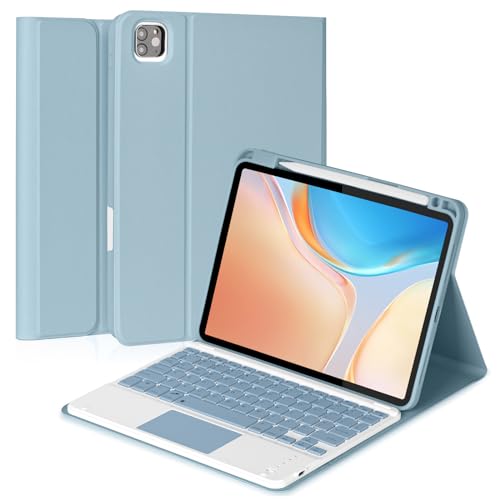
- 【Compatibility】This bluetooth keyboard case is compatible with iPad Pro 11inch (M...
- 【Multi-touch Trackpad】The keyboard is equipped with a multifunctional touchpad that supports...
- 【Magnetically Detachable Keyboard】This iPad Pro 11inch (M4)/(M5) case with keyboard is magnetic...
Pros
- Built-in trackpad
- Magnetic protective cover
- Pencil holder
- Detachable keyboard
- Budget-friendly
Cons
- Requires Bluetooth and charging
- No Smart Connector
Trade-offs / Who should skip
Best for iPad Pro 11 M4/M5 owners wanting a lower-cost laptop-style setup. Skip it if you specifically want Smart Connector convenience.
2. HOU Keyboard Case — Best Adjustable-Angle 11-Inch Pick
The HOU keyboard case combines a 135-degree adjustable hinge with an AG glass trackpad, shortcut keys, and seven-color backlighting.
Why it wins: The adjustable hinge and glass trackpad make it one of the more laptop-like third-party options for compatible iPad Air and earlier iPad Pro 11-inch models.
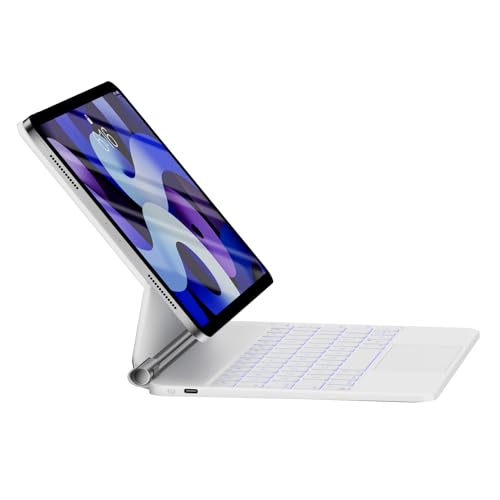
- Simple Compatibility Check: Specifically designed for iPad Air 11 inch M2/M3/M4, iPad Air 4th/5th...
- Ultra-Stable Magnetic Stand with 135° Adjustability & Auto Sleep/Wake: Built with 37 powerful...
- Premium Typing Experience: 1.3mm Key Travel, 12 Shortcuts & 7-Color Eye-Comfort Backlight: Enjoy...
Pros
- 135-degree adjustable tilt
- AG glass trackpad
- 12 shortcut-key combinations
- Seven-color backlighting
- Strong review history
Cons
- Bluetooth requires charging
- Check your exact iPad generation before ordering
Trade-offs / Who should skip
Best if viewing-angle adjustment and trackpad feel matter most. Skip it if you use an iPad Pro 11 M4/M5 that is not listed as compatible with this version.
3. TQQ Touch Keyboard Case — Best for Students on Base iPad
The TQQ Touch is designed for the iPad A16 11th generation and iPad 10th generation. It combines a 360-degree rotating case with a built-in Multi-Touch trackpad.
Why it wins: Students get an integrated keyboard and trackpad rather than needing to carry a separate mouse.
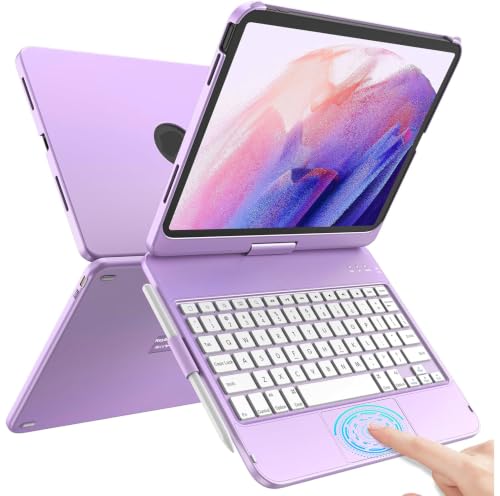
- 【Compatibility】Our iPad keyboard case is designed for new iPad 10th Generation 10.9 inch...
- 【Various Viewing Angles】 With new and unique design, layered appearance and more convenient to...
- 【Multi-Touch Trackpad for ipad 10th Generation 】Integrated multi-touch trackpad with plentiful...

Pros
- Fits iPad A16 11th gen and 10th gen
- Multi-Touch trackpad
- 360-degree rotation
- Thin design
- Good review history
Cons
- Bulkier than a basic folio
- Bluetooth needs charging
Trade-offs / Who should skip
Best for schoolwork, notes, and general productivity on the standard iPad. Skip it if you want the lightest possible folio.
4. Hamile Bluetooth Keyboard and Mouse — Best for Travel and Multiple Devices
The Hamile takes a different approach with a separate rechargeable keyboard and mouse that can work across multiple iPad sizes and other compatible devices.
Why it wins: It is more flexible than a fitted case if you regularly switch between different tablets or devices.
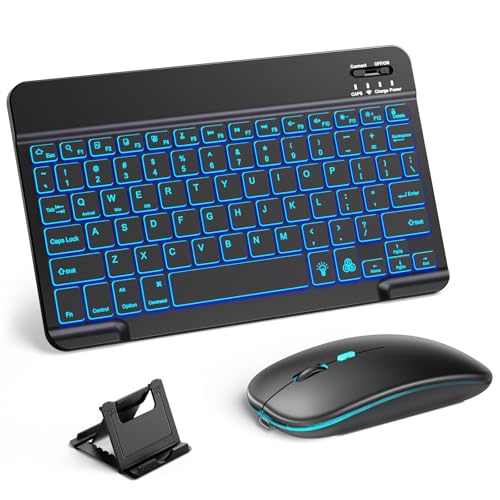
- 【Wide Compatibility】This Bluetooth keyboard and mouse combo offers wide compatibility with iPad...
- 【7-Color Rainbow Backlight】The vibrant 7-color backlit for iPad keyboard makes typing or working...
- 【Rechargeable Mouse and Keyboard】The built-in rechargeable battery (420mAh) provides up to...
Pros
- Broad device compatibility
- Rechargeable keyboard and mouse
- Seven-color backlighting
- Easy to move between devices
Cons
- Does not protect the iPad
- Separate mouse takes more bag space
Trade-offs / Who should skip
Best for travel and multi-device users. Skip it if you want one integrated case, keyboard, and trackpad.
5. Nillkin Magnetic Keyboard Case — Best Rugged Magnetic Pick
The Nillkin combines a magnetic keyboard setup with a trackpad, backlit keys, protective construction, and portrait or landscape positioning.
Why it wins: It offers more protection than most slim Magic Keyboard-style alternatives.

- MILITARY-GRADE PROTECTION — YOUR iPad WALKS AWAY — We dropped this case. Off desks, out of...
- PRECISION FIT — CHECK YOUR MODEL IN SECONDS — Compatible with iPad Air 11-inch M...
- MAGNETIC CONNECTION — LANDSCAPE, PORTRAIT, ANYWHERE — The case locks onto the keyboard stand...
Pros
- Magnetic keyboard design
- Built-in trackpad
- Backlit keys
- Portrait and landscape support
- Rugged protective build
Cons
- Heavier than slim folios
- More expensive than basic Bluetooth cases
Trade-offs / Who should skip
Best for users who carry their iPad frequently and want extra protection. Skip it if minimizing weight is the priority.
6. typecase Edge Pro — Best Premium 13-Inch Keyboard
The typecase Edge Pro is designed for compatible iPad Air 13-inch and iPad Pro 12.9-inch models. It uses an aluminum body, Magic-style layout, per-key RGB lighting, and a click-anywhere glass trackpad.
Why it wins: It offers the most premium hardware feel in this lineup for larger iPads.
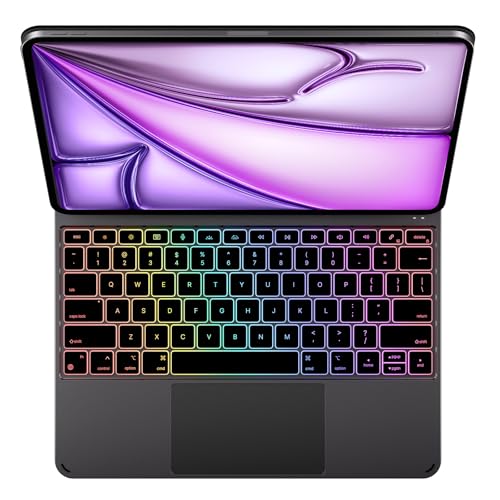
- Compatibility - Only for iPad Air 13" (M4) 2026, Air 13" (M3) 2025, Air 13" (M2) 2024, iPad Pro...
- Ultra Slim Aluminum Magic-Style Design - Precision CNC-machined from premium aluminum with an...
- Stable Floating Stand for Anywhere Use - Strong N52H magnets and a precision dual-axis hinge keep...
Pros
- Aluminum body
- Click-anywhere glass trackpad
- Per-key RGB backlighting
- Large 13-inch-friendly layout
- Magic Keyboard-style design
Cons
- Expensive
- Smaller review base than established models
- Check exact model compatibility carefully
Trade-offs / Who should skip
Best for larger iPad users who want a more premium laptop-like setup. Skip it if value matters more than aluminum construction and premium trackpad hardware.
Quick Compare
- Best budget laptop-like pick: Eisuiyi
- Best adjustable-angle 11-inch pick: HOU
- Best for students on base iPad: TQQ Touch
- Best for travel and multiple devices: Hamile
- Best rugged magnetic pick: Nillkin
- Best premium 13-inch pick: typecase Edge Pro
Final Verdict
The Eisuiyi remains a strong budget choice for newer iPad Pro 11-inch users, while the HOU stands out for its adjustable hinge and glass trackpad.
For the standard iPad, the TQQ Touch is the better student-focused option because the trackpad is built directly into the case. Choose Hamile for multi-device travel, Nillkin for added protection, and typecase Edge Pro for a premium 13-inch setup.
Always confirm the exact iPad model number and generation before ordering, since cases made for visually similar iPads may not fit correctly.
As an Amazon Associate, I earn from qualifying purchases.